SVG Symbols
Looking to use the SVG + JS method to get your icon sprites to make repeated icons more performant on your page? We've got your back.
We'll cover the basics of when, and how, to use SVG Sprites to improve load time on sites that repeat the same icons.
Make sure you:
Plan to use the SVG+JS method of Font Awesome Are using a lot of the same icon or icons on a single page Have your project set up with Font Awesome
You might be wondering how rendering icons with JavaScript affects performance. Well you're not the only one. We worried about this while we were developing it and even took some special measures to make sure it was as fast as we could make it.
Our testing shows that for the typical number of icons most people use on a site, the loading and rendering time for SVG+JS method is faster than Web Fonts.
A Case for SVG Symbols
The case below is a great one for SVG Symbols – there are a bunch of the same icon repeated on the page, so you'll get a big performance boost by loading each of them only once using the step-by-step method below.
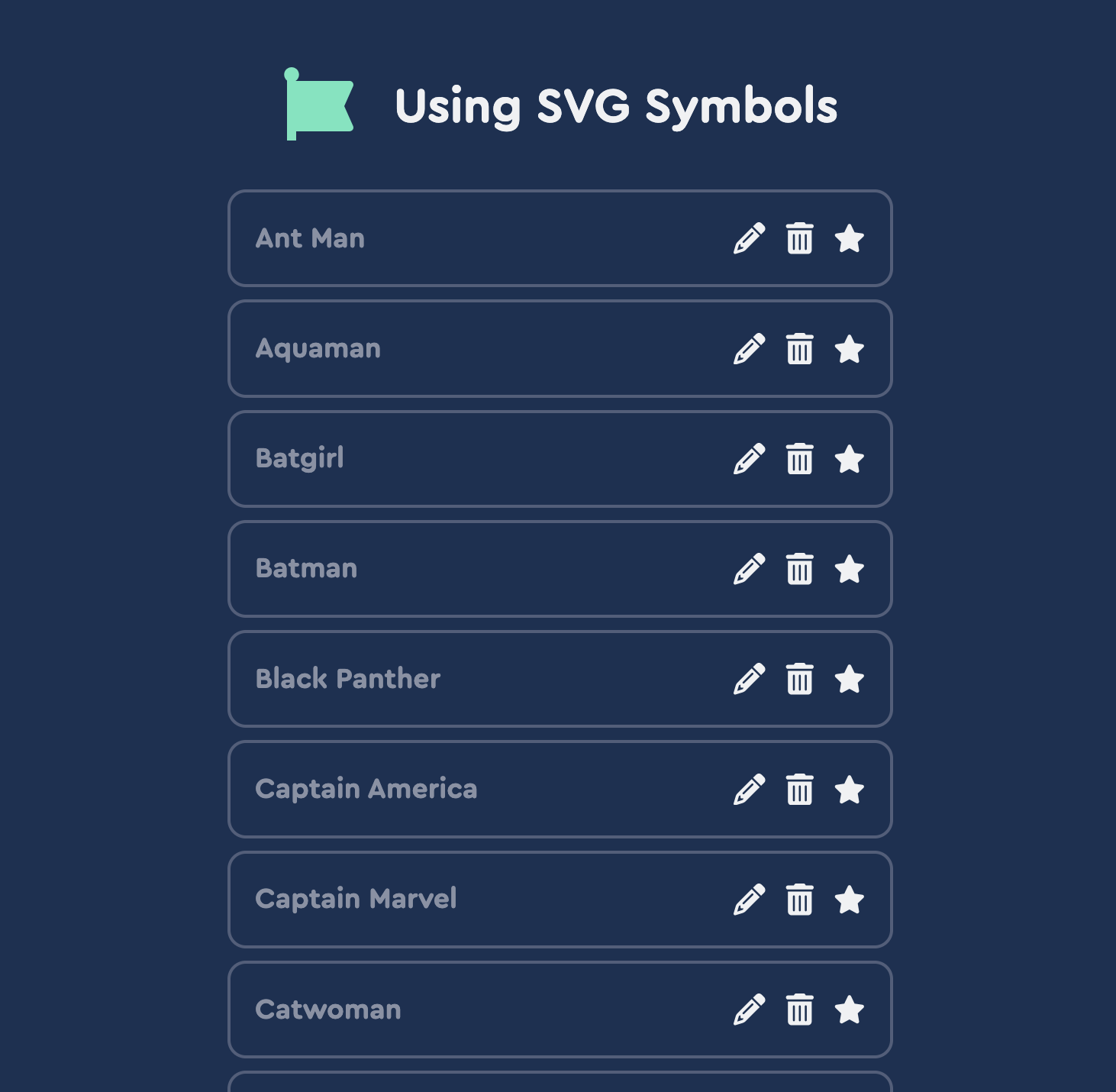 An example page that shows a good case for using SVG Symbols
We'll define these icons as symbols: pencil, trash, and star. We'll create names for the symbols using data-fa-symbol: edit, delete, and favorite.
To actually use the icons, we need to reference them in an <svg> tag by using <use> with an href attribute containing the name we gave the icon:
<!-- Define the icon symbols, these are invisible on the page -->
<i data-fa-symbol="edit" class="fa-solid fa-pencil fa-fw" title="Edit"></i>
<i data-fa-symbol="delete" class="fa-solid fa-trash fa-fw" title="Delete"></i>
<i data-fa-symbol="favorite" class="fa-solid fa-star fa-fw" title="Favorite"></i>

<!-- Use the defined symbols -->
<svg><use href="#edit"></use></svg>
<svg><use href="#delete"></use></svg>
<svg><use href="#favorite"></use></svg>
When using icons without accompanying text, consider adding an `aria-label` to explain their purpose to assistive technology!
Make Sure to Add Some CSS
One of the downsides to SVG sprites is that extra styling is necessary to make them behave. When using symbols you will need to handle this yourself.
<!-- A quick, reasonable place to start with styling your symbols -->
<style>
  .icon {
    width: 1em;
    height: 1em;
  }
</style>

<!-- Name symbols with the value of data-fa-symbol -->
<i data-fa-symbol="picture-taker" class="fas fa-camera"></i>

<!-- Use the defined name -->
<svg class="icon"><use href="#picture-taker"></use></svg> Say Cheese!
Related Topics
Pedal to the Metal
Get the Best Performance When Using Font Awesome
Web Fonts vs. SVG
Learn which tech works best for your project