SVG Unicodes
Want to use the Unicode value with the SVG + JS method to display the icons on your page? Go for it!
Make sure you:
Plan to use the SVG+JS method of Font Awesome Have your project set up with Font Awesome
Add Icons as Unicodes
You can add icons in any style as unicodes when using the SVG+JS method. Just add the class for the style you want to use to select the style of icon, then insert the unicode value - with &#x before the unicode and ; after - between the opening and closing <i> element.
Here are some examples:
<i class="fa-solid fa-2x">B</i> <i class="fa-regular fa-2x fa-spin"></i> <i class="fa-duotone fa-solid fa-2x fa-shake"></i> <i class="fa-light fa-2x">1</i> <i class="fa-sharp fa-solid fa-2x">X</i> <i class="fa-sharp-duotone fa-solid fa-2x"></i>
You'll need a semicolon after the Unicode value ; the icons will not display on your page without it.
Where do I find an icon's Unicode?
When searching for icons, simply click on an icon of your choosing, and the Unicode value will be displayed above the code block showing how the icon can be used.
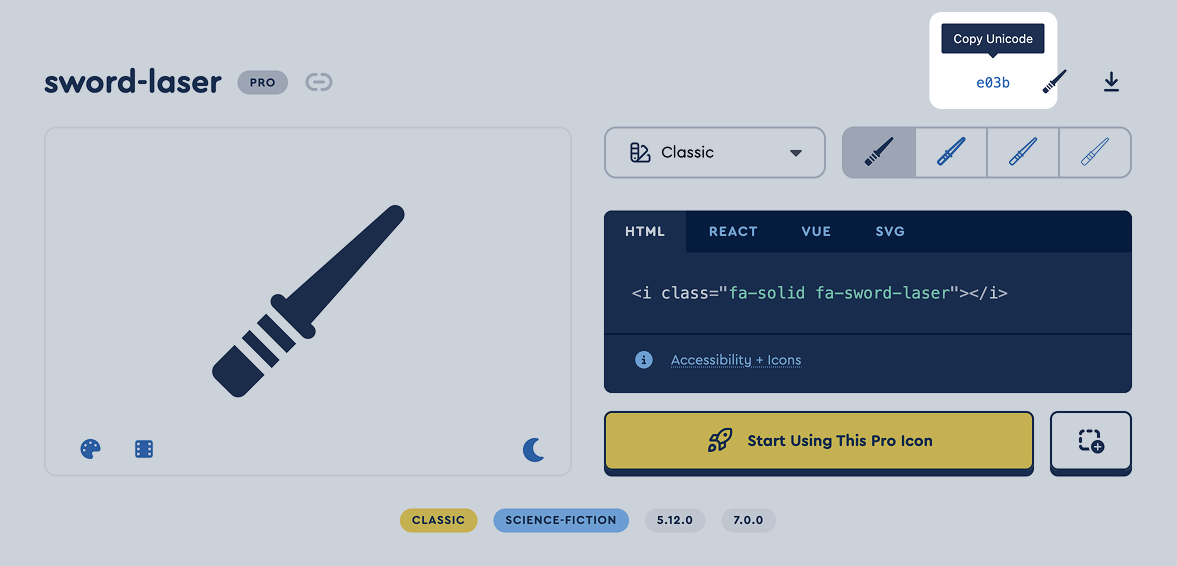 The unicode value highlighted in the icon details on fontawesome.com